
Your Work Intelligence Platform.
Always in Your Pocket.
Take complete control of your operations on the move. Manage sprint tasks, triage support tickets against live SLAs, close CRM deals, dictate notes with instant AI voice transcription, and track billable travel logs with single-tap precision.
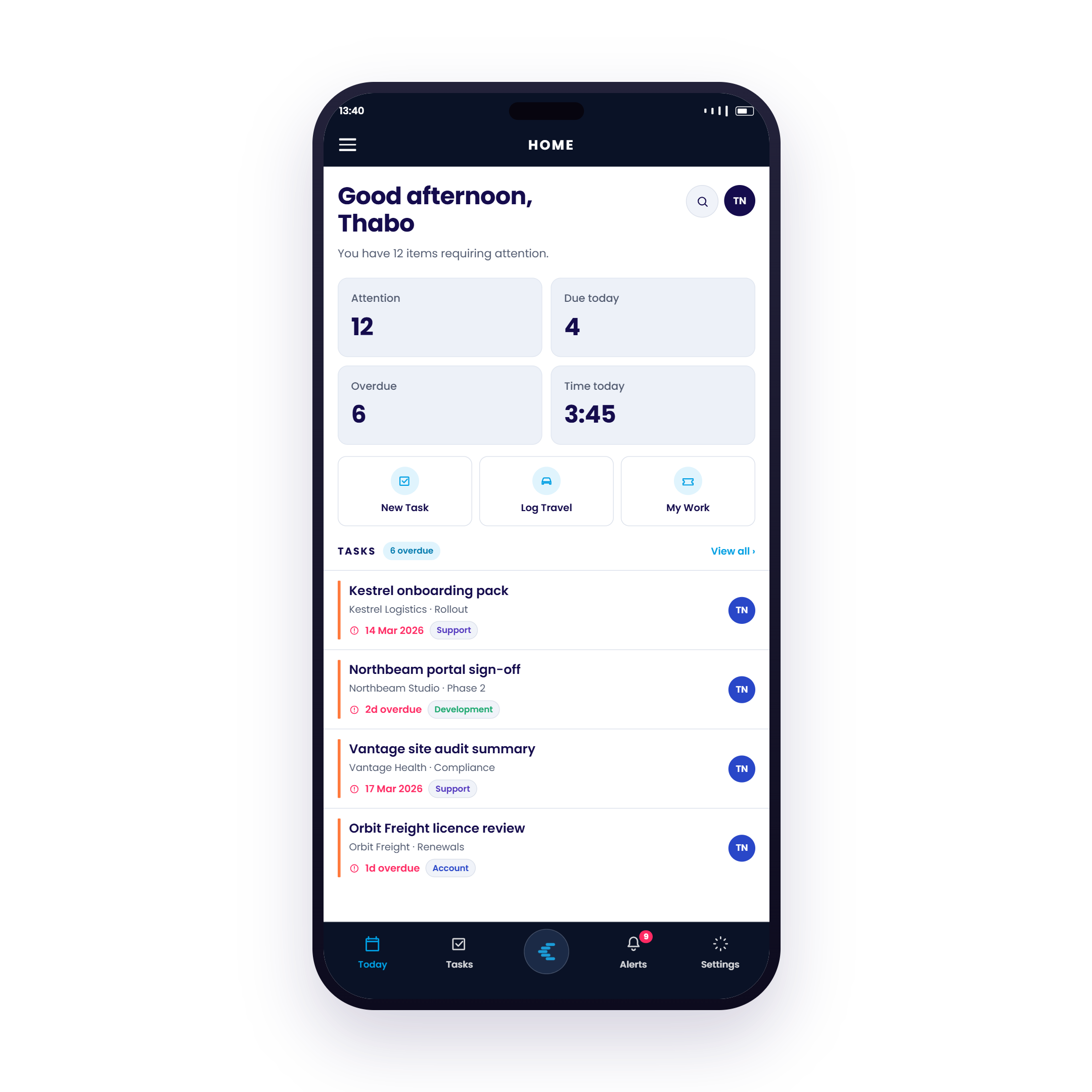
Home Screen & The Smart Daily Overview
Eliminate morning uncertainty. The Chronodesk Mobile home screen gives you a real-time operational overview showing attention counters, overdue deliverables, logged hours, and direct 1-tap action shortcuts.
Attention Counters & Metrics at a Glance
Instantly view items requiring attention, due today, overdue tasks, and your logged time for the day.
1-Tap Action Shortcuts
Create new tasks, launch GPS travel tracking, or review your assigned work queue with a single tap.
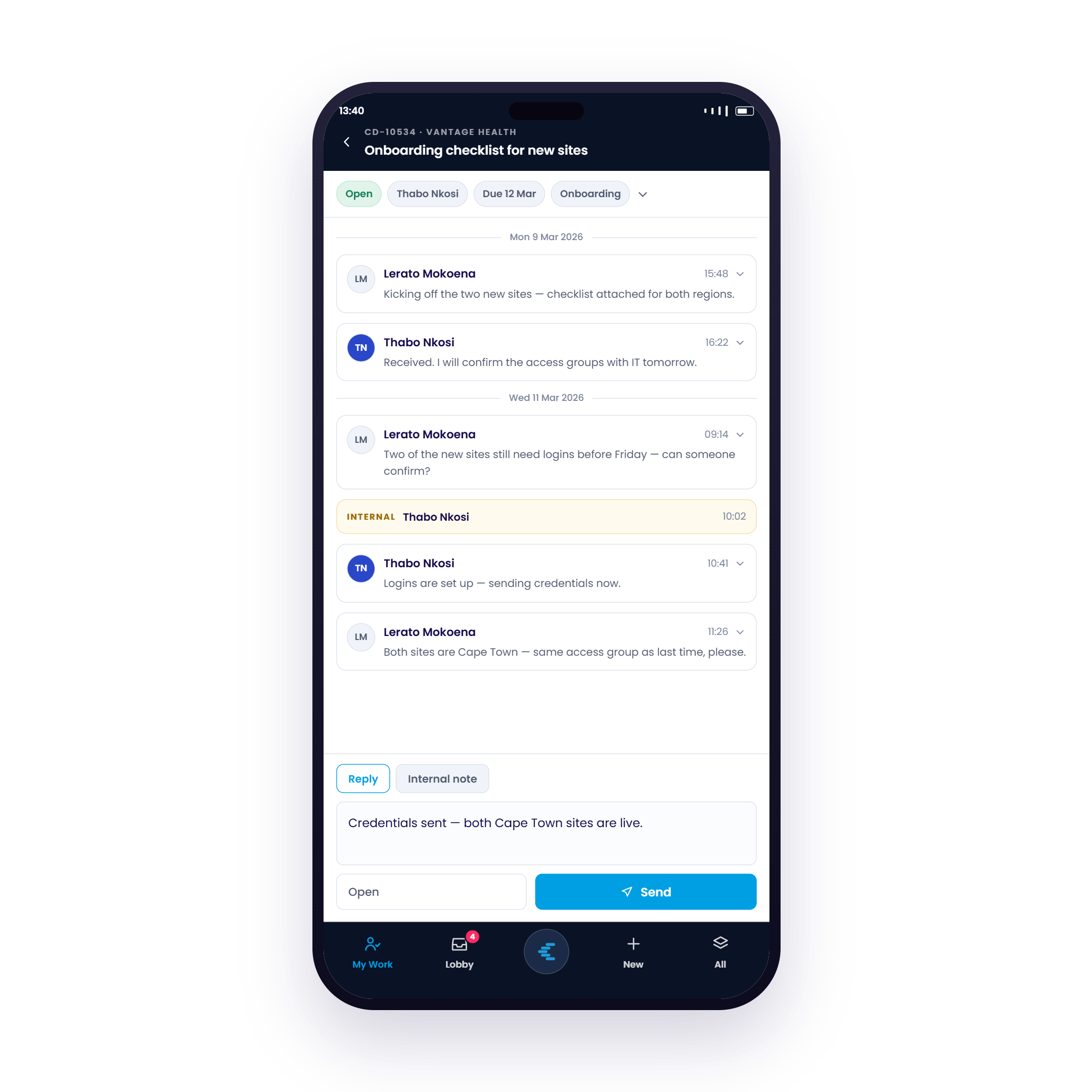
Service Desk Ticketing & Real-Time Client Replies
Resolve customer tickets wherever you are. Review full conversation threads, toggle between client-facing replies and internal staff notes, and adjust ticket statuses on the fly.
Full Thread & Audit History
Access full customer message history with timestamps, assigned agents, and attachments.
Public Reply & Internal Notes
Collaborate privately with teammates using internal notes before sending polished responses to clients.
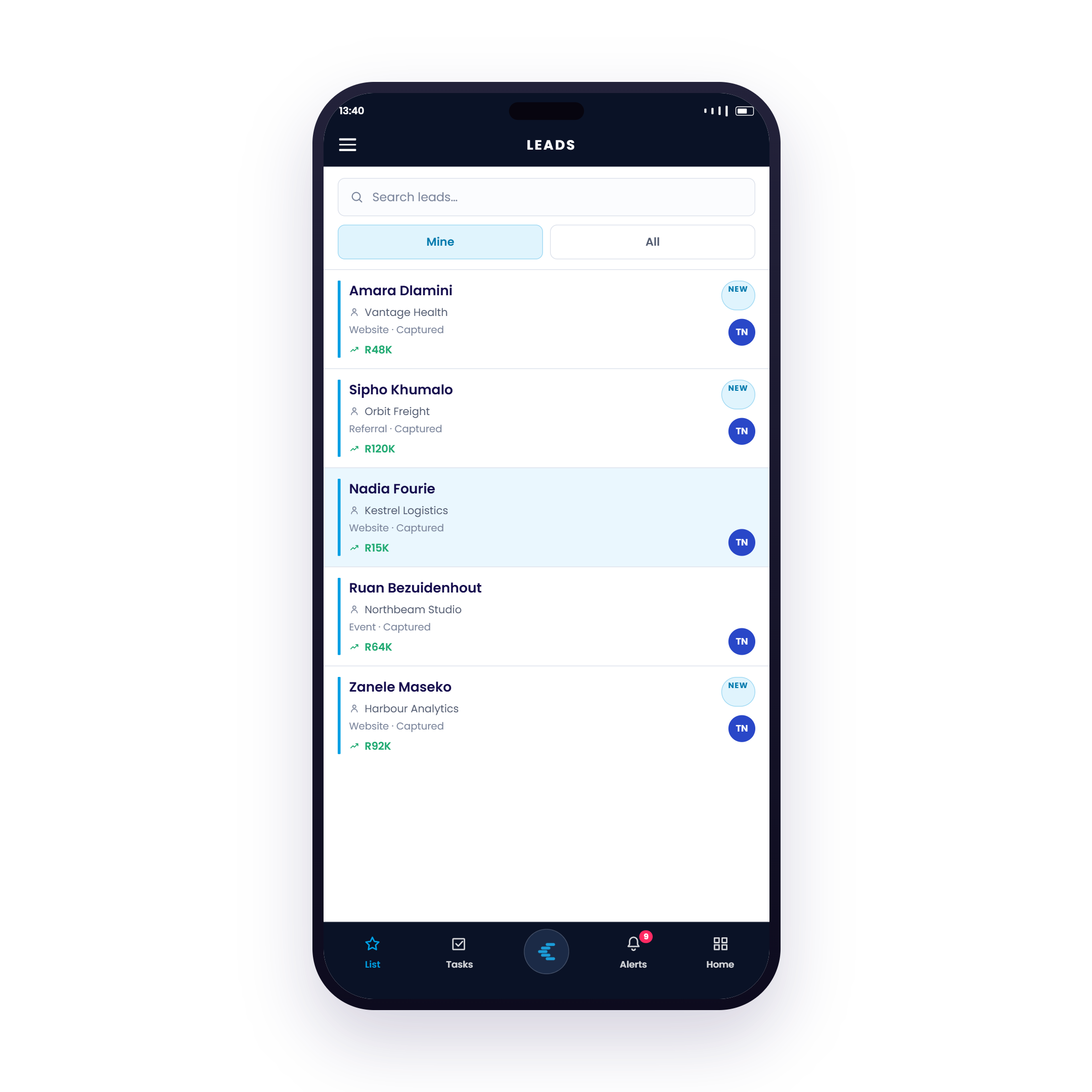
Mobile CRM Pipeline & Lead Conversion
Never lose momentum on a hot lead. Track incoming inquiries from your website, referrals, and events, monitor deal values, and advance prospects across stages directly from your mobile device.
Deal Values & Channel Attribution
View captured lead sources (Website, Events, Referrals) alongside estimated deal values at a glance.
Fast Filtering & Search
Switch between "Mine" and "All" leads with instant search to quickly locate contacts before client calls.
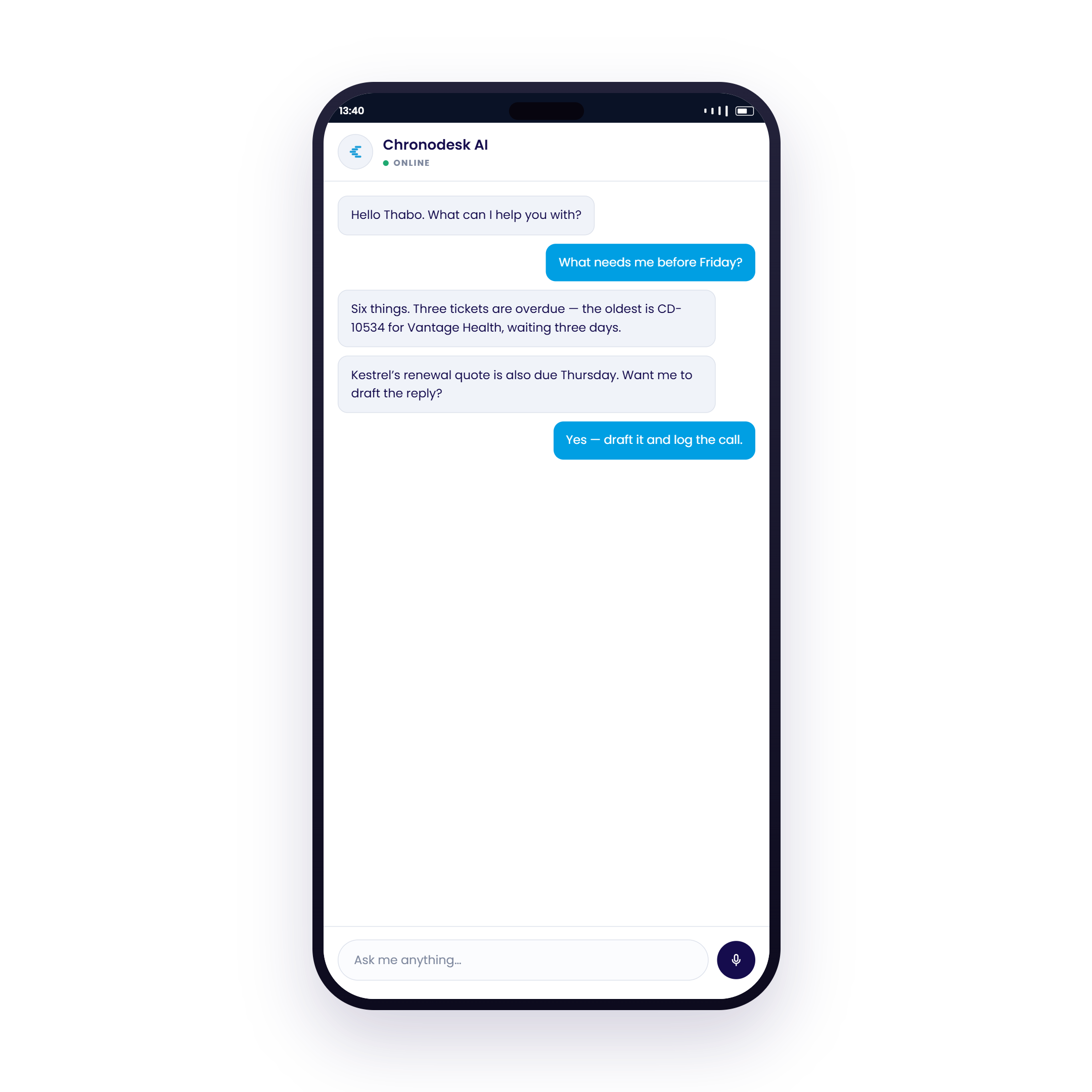
AI Assistant, Voice Mode & Conversational Intelligence
Typing complex notes or navigating multiple screens on the road is impractical. Chronodesk AI lets you ask questions naturally or dictate voice memos to draft replies and log calls hands-free.
Conversational Work Queries
Ask questions like "What needs me before Friday?" and receive instant summaries of overdue tickets and upcoming quotes.
Automated Drafts & Call Logging
Command the AI to draft customer reply emails and log call notes to tickets with one tap.
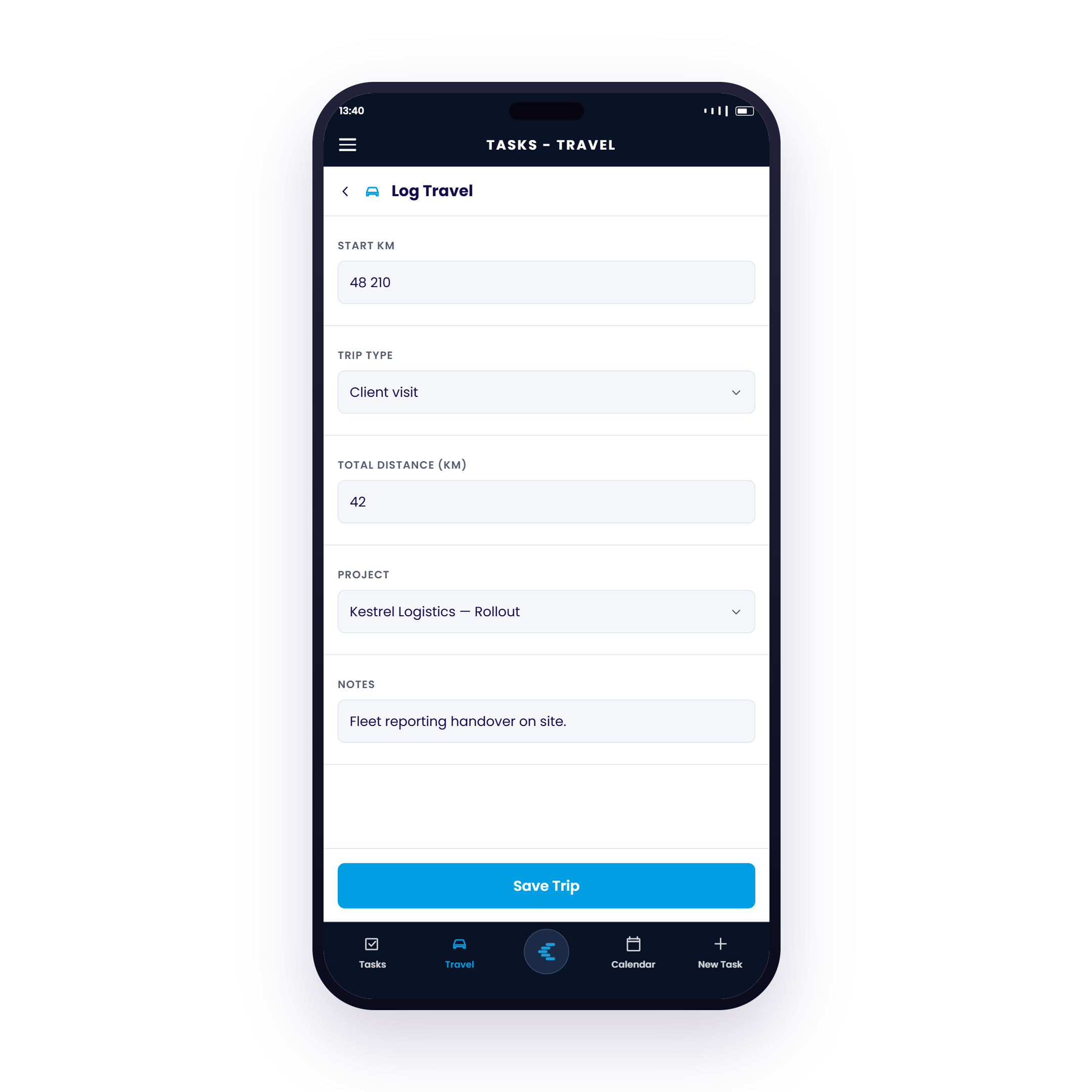
Automated Travel Log & Billable Mileage Capture
Eliminate manual travel claims and forgotten mileage. Record your vehicle start KM, total trip distance, trip type, and link the trip directly to the client project for reimbursement and invoicing.
Trip Types & Odometer Tracking
Classify trips as Client Visits, Site Deliveries, or Audits with exact starting and ending odometer readings.
Direct Project & Invoice Linking
Attach site handover notes and allocate travel mileage directly to the client project with one-tap save.
Engineered for Field Teams & Executive Leadership
Chronodesk Mobile is built with real-time cloud responsiveness and seamless synchronization.
Bidirectional Instant Sync
Changes made on the mobile app appear on your desktop workspace instantly with sub-second WebSocket updates.
Live Cloud Access
Always work with up-to-the-second project data, team task boards, client ticket histories, and live SLA countdowns.
Role-Based Access Controls
Granular access controls ensure team members only view and edit the projects, tickets, and customer accounts assigned to their profile.
Frequently Asked Questions
Everything you need to know about getting started with Chronodesk Mobile.
Which platforms is the Chronodesk Mobile app available on?
Chronodesk Mobile is available natively for both iOS (iPhone & iPad on the Apple App Store) and Android devices (Google Play Store). It seamlessly synchronizes all work in real-time with the Chronodesk Web and Desktop platforms.
Is the mobile app included in my Chronodesk subscription?
Yes! Full access to the Chronodesk Mobile app is included at no additional cost for all active Chronodesk users across all subscription tiers.
How does real-time synchronization work with desktop?
Chronodesk Mobile connects directly to the Chronodesk cloud. Every update made on your phone—such as ticket resolutions, new CRM notes, task status changes, or logged hours—reflects immediately across your team's desktop workspace with sub-second synchronization.
How does the AI Voice Assistant and audio transcription work?
You can tap the microphone to speak naturally. Chronodesk AI transcribes your voice notes, extracts actionable details (such as client name, time spent, problem summary, and ticket status), and automatically drafts replies, updates tickets, or logs timesheets.
How does the Travel Log and mileage capture work?
With one tap, Chronodesk records your travel route and odometer distance. It calculates total distance and duration, applies your company's mileage reimbursement rate, and links the travel log directly to the selected client and project for billing or expense reporting.
Can my team manage permissions and role access on mobile?
Yes. Chronodesk Mobile automatically respects your organization's role-based access policies configured on the web platform. Team members only access the specific queues, projects, client accounts, and financial records authorized for their role.
Ready to Put Complete Operational Power in Your Pocket?
Manage tasks, support tickets, CRM, voice memos, and travel logs from your phone with Chronodesk.
R0 due today • Instant setup • Included with all Chronodesk plans