
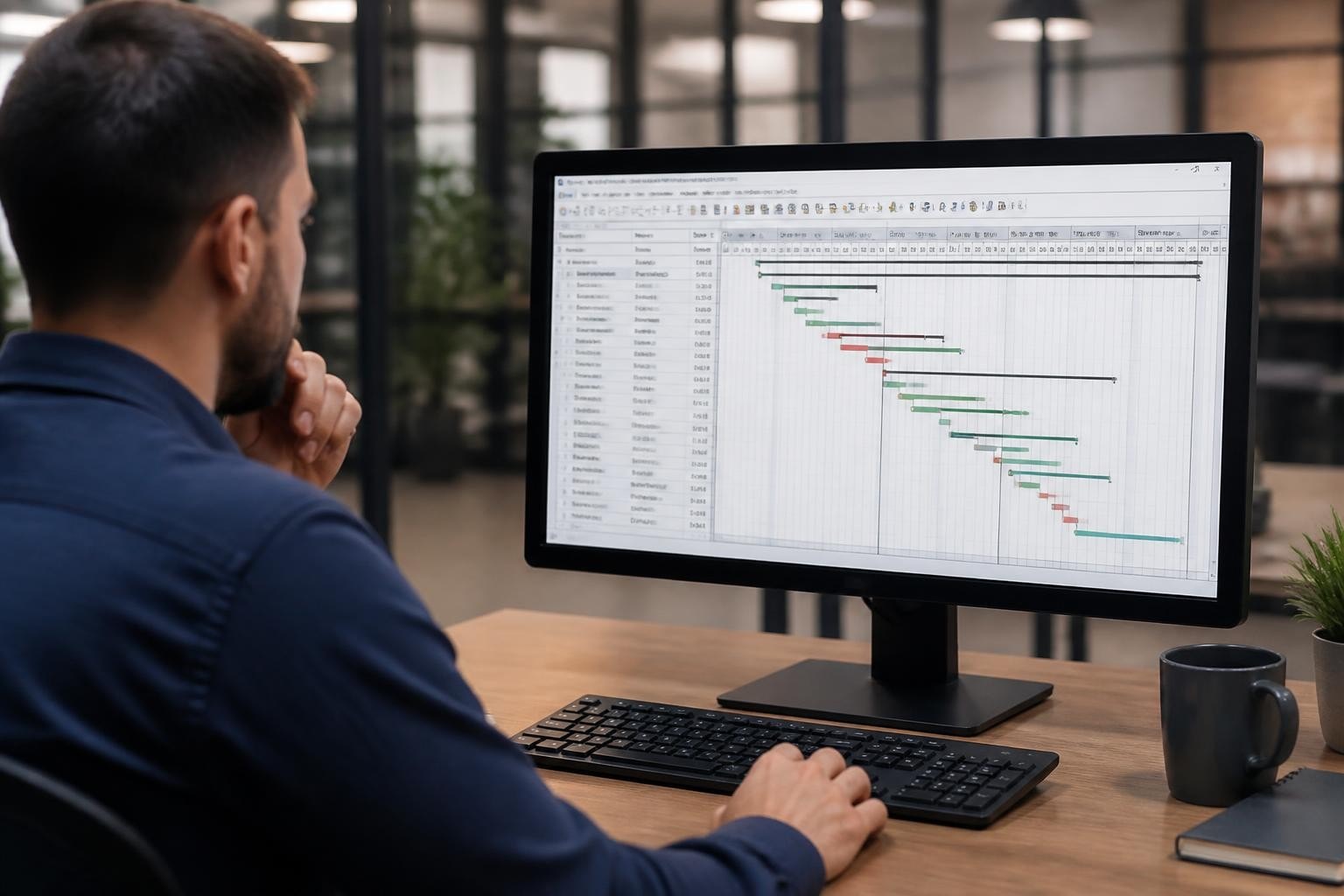
Professional teams managing complex projects often turn to Oracle’s Primavera P6 for enterprise-grade scheduling and portfolio management. Understanding the primavera p6 download process is essential for organizations investing in this powerful platform, particularly as licensing models and technical requirements continue to evolve in 2026. Whether you’re deploying P6 for the first time or upgrading an existing installation, navigating Oracle’s distribution channels and ensuring proper system configuration requires careful planning and attention to regulatory compliance.
Understanding Primavera P6 Licensing and Download Channels
Before initiating any primavera p6 download, teams must secure the appropriate licensing from Oracle. The software operates under a named-user licensing model, where each person accessing the system requires a dedicated license. Oracle no longer offers perpetual licenses for new customers, instead providing subscription-based access through Oracle Cloud or on-premises deployment options.
The primary distribution channels include:
- Oracle Software Delivery Cloud (eDelivery) for enterprise customers with active support contracts
- Oracle Technology Network for trial and development versions
- Oracle Cloud Infrastructure for cloud-native deployments
- Authorized Oracle partners for bundled solutions and consulting packages
Understanding which channel applies to your organization prevents compliance issues and ensures access to the correct version. The Oracle Software Delivery Cloud serves as the official repository for licensed software, requiring valid Oracle credentials and active support entitlements.
Selecting the Right P6 Edition
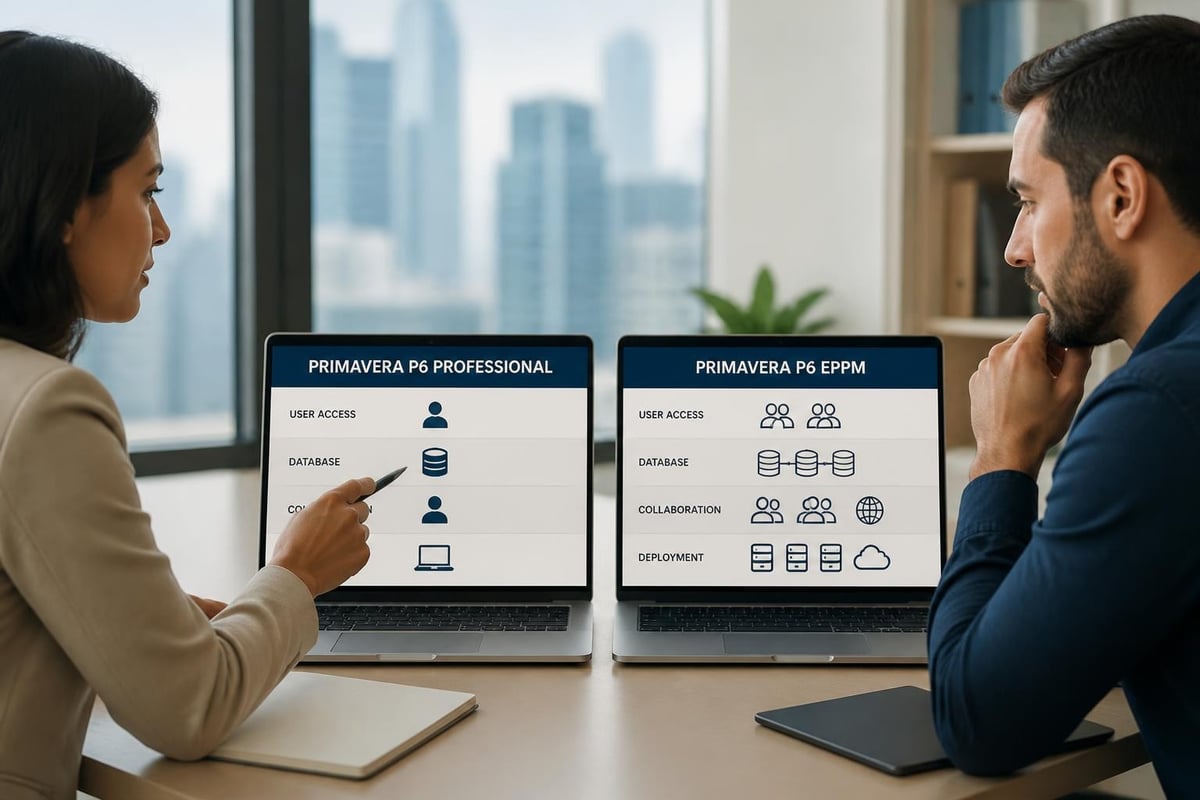
Oracle offers several Primavera P6 variants, each designed for different organizational needs and deployment scenarios. Primavera P6 Professional (P6 Pro) operates as a standalone client application connecting directly to a database, suitable for individual schedulers or small teams. Primavera P6 Enterprise Project Portfolio Management (EPPM) provides web-based access, multi-user collaboration, and advanced portfolio analytics.
When planning your primavera p6 download, verify which edition your licensing covers. Many organizations mistakenly attempt to download the wrong variant, leading to installation failures or licensing violations.
System Requirements and Pre-Installation Planning
Successful P6 deployment begins with thorough infrastructure assessment. The platform demands specific hardware configurations, database versions, and operating system releases. Inadequate planning at this stage results in installation failures, performance degradation, and increased support costs.
Hardware and Software Prerequisites
| Component | Minimum Specification | Recommended Specification |
|---|---|---|
| Processor | Quad-core 2.4 GHz | Eight-core 3.0 GHz or higher |
| RAM | 16 GB | 32 GB for EPPM installations |
| Storage | 50 GB available space | 200 GB SSD for production environments |
| Network | 100 Mbps | Gigabit for multi-user deployments |
Database selection significantly impacts performance and maintenance complexity. P6 supports Oracle Database (12c through 19c), Microsoft SQL Server (2016 through 2022), and limited PostgreSQL configurations for smaller deployments. Organizations standardizing on SQL Server should consult Microsoft’s hardware and software requirements to ensure compatibility.
Operating system compatibility remains crucial. Windows Server 2019 and 2022 represent the supported platforms for production EPPM installations in 2026, while P6 Professional clients run on Windows 10 and Windows 11 Enterprise editions. Linux deployments require Oracle Linux 7.x or Red Hat Enterprise Linux 7.x for application server components.
Database Preparation Steps
- Install and configure your chosen database platform according to Oracle’s tested configurations
- Create dedicated database instances with appropriate sizing for your project portfolio
- Configure backup and recovery procedures before loading any project data
- Verify network connectivity between database servers and application tier components
- Document connection strings and credentials in your enterprise password management system
Teams should establish database maintenance windows and implement monitoring before importing production schedules. The Project Management Institute’s scheduling standards provide valuable context for planning data retention and archival policies that align with your P6 deployment.
Navigating the Download Process
Accessing Primavera P6 installation media requires navigating Oracle’s enterprise software distribution infrastructure. This process differs substantially from consumer software downloads, incorporating license verification, version selection, and checksum validation.
Accessing Oracle Software Delivery Cloud
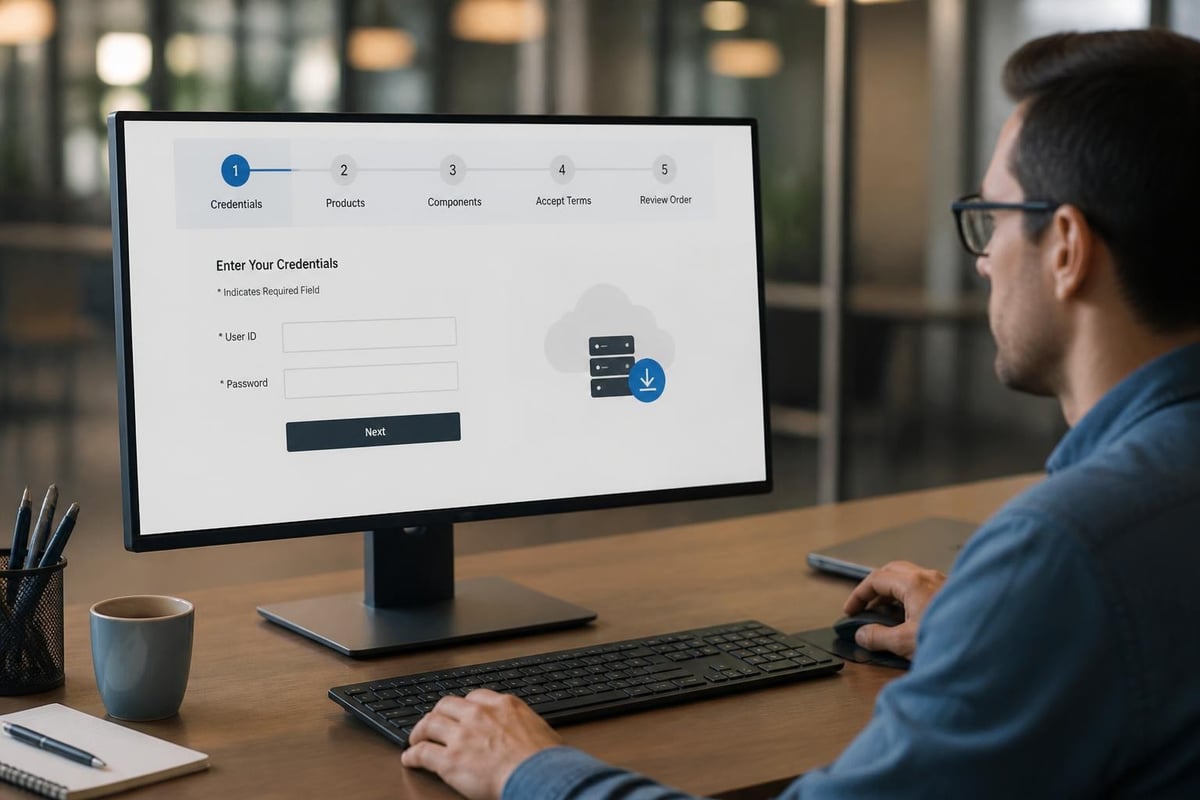
Licensed customers begin by logging into Oracle’s eDelivery portal using their Oracle Support credentials. The interface presents thousands of Oracle products, making navigation challenging without specific search techniques.
Step-by-step navigation:
- Log in to Oracle Software Delivery Cloud using valid credentials
- Select “Primavera” from the product pack list
- Choose your target platform (Microsoft Windows x64, Linux x64, or All Platforms for Java components)
- Filter by version number (24.12 represents the current release as of late 2026)
- Select required components based on deployment architecture
- Review license agreements and export restrictions
- Download installer packages, readme files, and installation guides
The download consists of multiple compressed archives, typically exceeding 5 GB for complete EPPM installations. Organizations with bandwidth constraints should plan overnight downloads or utilize Oracle’s download management tools for resumable transfers.
Alternative Download Methods for Authorized Users
Some organizations access Primavera P6 through specialized channels. Educational institutions often receive academic licenses with simplified distribution, as documented in resources like the University of Houston’s installation guide. Government agencies may access approved versions through their technology reference models, such as the U.S. Department of Veterans Affairs technology listing.
Trial versions exist for evaluation purposes, but these installations cannot migrate to production use without full licensing. Organizations evaluating P6 should request time-limited production licenses from Oracle sales rather than relying on trial downloads.
Installation and Configuration Best Practices
Once the primavera p6 download completes, installation complexity varies significantly between standalone and enterprise deployments. P6 Professional installations typically complete within an hour, while EPPM deployments may require several days of configuration across multiple servers.
P6 Professional Installation Sequence
Extract the downloaded archive to a temporary directory on your local machine. The installation wizard guides users through component selection, database connection configuration, and initial user setup.
Critical configuration decisions include:
- Database connection method: Direct database connections offer better performance but require firewall configuration
- Project directory location: Centralize on network storage for team access or local storage for individual use
- Update settings: Enable automatic update checks to receive security patches and feature enhancements
- Integration options: Configure links to external systems for resource management or cost control
The Ten Six consultancy’s walkthrough provides practical guidance on common configuration scenarios and troubleshooting connection issues that arise during initial setup.
Enterprise EPPM Deployment Architecture
EPPM installations require multiple server roles, each with specific configuration requirements. Oracle provides comprehensive guidance through their official installation documentation hub, covering both fresh installations and upgrade scenarios.
| Server Role | Primary Function | Scaling Considerations |
|---|---|---|
| Database Server | Stores all project, resource, and portfolio data | Cluster for high availability |
| Application Server | Hosts web services and business logic | Load-balance across multiple instances |
| Web Server | Delivers user interface and handles authentication | Deploy redundantly for failover |
| Reporting Server | Generates schedules, dashboards, and analytics | Dedicate servers for large organizations |
Professional teams benefit from understanding these architectural patterns, particularly when planning capacity for growth. While Primavera P6 excels at large-scale programme management, many organizations discover that comprehensive work platforms offer better integration for cross-functional teams managing diverse work types.
Post-Installation Configuration and Optimization
Completing the primavera p6 download and installation represents only the beginning of deployment. Proper configuration ensures optimal performance, security compliance, and user adoption across your organization.
Security Hardening and Access Control
P6 implements role-based security through enterprise directory integration or internal user management. Configure LDAP or Active Directory synchronization to leverage existing identity management infrastructure. This approach reduces administrative overhead and ensures access removal when employees leave the organization.
Essential security configurations:
- Enable SSL/TLS for all web-based communications
- Implement strong password policies aligned with organizational standards
- Configure session timeout values appropriate for your security requirements
- Establish audit logging for compliance and troubleshooting purposes
- Restrict database administrative access to designated system administrators
Network security teams should open required ports between P6 components while blocking unnecessary access. Document all firewall rules in your enterprise configuration management database to facilitate troubleshooting and change control.
Performance Tuning for Production Use
Database performance directly impacts user experience in Primavera P6. Schedule regular index maintenance, update statistics, and implement appropriate backup strategies. Organizations running SQL Server should follow Microsoft’s update guidance to maintain supported configurations with current security patches.
Application server tuning involves memory allocation, connection pooling, and caching configuration. Oracle’s documentation provides recommended Java Virtual Machine settings for various deployment sizes, but real-world performance requires iterative adjustment based on actual usage patterns.
Monitor key performance indicators during initial rollout:
- Average page load times for web interface components
- Schedule calculation duration for typical project complexity
- Report generation speed for common dashboards and analytics
- Concurrent user capacity before performance degradation occurs
- Database query response times during peak usage periods
Teams managing multiple projects simultaneously appreciate how effective project management reduces uncertainty through structured planning and resource visibility.

Integration Strategies and Data Migration
Modern project organizations rarely operate Primavera P6 in isolation. Integration with enterprise resource planning systems, document management platforms, and financial applications amplifies P6’s value while creating technical dependencies requiring careful management.
Common Integration Patterns
Financial system integration enables cost tracking, budget validation, and invoice reconciliation. P6 can export timesheet data, resource assignments, and project expenses to accounting platforms, though data mapping requires detailed specification. Professional services teams particularly value tight integration between project execution and billing systems to capture all billable effort.
Resource management integration synchronizes workforce availability, skills databases, and capacity planning across enterprise systems. This integration prevents scheduling conflicts and improves resource utilization visibility.
Document management connectivity links project schedules to engineering drawings, specifications, and change orders. While P6 includes basic document management, most organizations prefer integrating specialized platforms that better serve regulatory requirements and collaborative workflows.
Integration complexity varies substantially based on chosen technologies. When platforms communicate effectively, teams avoid duplicate data entry and reduce reconciliation effort.
P6 Alongside Delivery Work on EPCM Projects
If P6 holds your master schedule but engineering hours, vendor deliverables, site queries and client billing are spread across spreadsheets and inboxes, that delivery work needs a home of its own. Chronodesk’s EPCM project management software runs it in one platform, and its PMO and PPM software rolls every project up into a single portfolio view for project controls and directors.
Data Migration and Legacy Project Import
Organizations upgrading from earlier Primavera versions or competing scheduling platforms face data migration challenges. P6 provides import utilities for Microsoft Project files, Primavera P3 archives, and XML-based schedule exchanges, though each format presents unique conversion issues.
Migration planning checklist:
- Audit existing project data for completeness and accuracy before conversion
- Document custom fields, calendars, and resource structures requiring replication
- Test migration on representative sample projects before full conversion
- Validate activity relationships, constraints, and resource assignments post-import
- Train users on data differences and workflow changes in the new environment
- Establish cutover timing that minimizes disruption to active projects
Historical data often reveals quality issues that accumulated over years of inconsistent practice. Use migration as an opportunity to establish data governance standards and enforce consistent methodology.
Licensing Compliance and Ongoing Maintenance
The primavera p6 download represents an ongoing relationship with Oracle requiring annual maintenance renewals, license compliance audits, and periodic upgrades. Understanding these obligations prevents unexpected costs and ensures continued access to product updates.
Maintenance and Support Subscriptions
Oracle support contracts provide access to software updates, security patches, and technical assistance through My Oracle Support. These contracts typically cost 22% of the original license value annually, though negotiation may yield different terms for large deployments.
Support benefits include:
- Priority access to Oracle technical specialists for troubleshooting
- Downloadable updates and patches as Oracle releases them
- Documentation updates reflecting current best practices
- Participation in Oracle’s customer advisory programmes
- Legal protection through Oracle’s software assurance policies
Organizations should evaluate support value against actual usage patterns. Light users may find community resources sufficient, while mission-critical deployments require Oracle’s direct assistance for issue resolution. The PMI Pulse of the Profession research consistently shows that tool support influences project success rates across industries.
License Audit Preparation
Oracle periodically audits customer deployments to verify license compliance. Maintain accurate records of user assignments, installation locations, and license purchases. Automated tools can inventory P6 database connections to identify unexpected user accounts or unauthorized installations.
Document your licensing model clearly: named user licenses restrict access to specified individuals, while concurrent licenses allow a defined number of simultaneous connections from a larger user population. Mixing these models or sharing credentials violates Oracle agreements and triggers compliance penalties.
Alternative Approaches for Modern Project Teams
While Primavera P6 remains the industry standard for large-scale programme management in construction, engineering, and government sectors, many professional teams find the platform’s complexity and licensing costs misaligned with their actual requirements. The lengthy primavera p6 download and deployment process, combined with specialized administrator requirements, creates barriers for agile organizations.
Evaluating Fit and Exploring Options
Organizations should honestly assess whether P6’s capabilities match their project complexity and team structure. Tool overload creates hidden costs when platforms require extensive training and ongoing support that exceeds the value they deliver.
Consider these questions before committing to P6:
- Do your projects involve thousands of activities with complex predecessor relationships?
- Does your organization manage multiple concurrent programmes requiring portfolio-level resource optimization?
- Are you subject to regulatory requirements specifying critical path method scheduling?
- Can you dedicate staff to Primavera administration and ongoing configuration?
- Will your teams invest time mastering P6’s advanced features and methodologies?
Teams answering “no” to several questions may benefit from platforms designed for broader work management rather than specialized scheduling. Modern work platforms integrate project management, client service, time tracking, and billing in unified environments that require minimal technical overhead.
Transitioning from Complex Tools to Integrated Platforms
Organizations discovering P6 exceeds their needs can migrate to more appropriate solutions without sacrificing professional project management discipline. Export P6 schedules to standard formats, then import into platforms offering better balance between structure and flexibility.
Contemporary work management platforms provide features that enterprise teams demand without the deployment complexity of traditional enterprise software. These systems eliminate separate installations, database configuration, and ongoing infrastructure maintenance.
Cloud Deployment Considerations
Oracle increasingly emphasizes cloud deployment for Primavera P6, offering fully managed environments through Oracle Cloud Infrastructure. This approach eliminates much of the technical burden associated with traditional primavera p6 download and installation procedures.
Cloud Deployment Benefits and Trade-offs
Cloud advantages include:
- Immediate availability without infrastructure procurement or installation delays
- Automatic updates and patch management handled by Oracle’s operations team
- Elastic scaling to accommodate changing user populations and project volumes
- Built-in disaster recovery and business continuity capabilities
- Predictable operational expenditure replacing capital infrastructure investments
Cloud considerations requiring evaluation:
- Subscription costs may exceed on-premises licensing over extended timeframes
- Data residency requirements may preclude cloud deployment in certain jurisdictions
- Internet connectivity becomes critical for all system access
- Customization options may be more limited than self-hosted deployments
- Migration from cloud to on-premises proves difficult if requirements change
Organizations should model total cost of ownership across five-year periods, incorporating infrastructure, licensing, support, and administrative effort for both deployment models. Strategic planning helps teams select architectures aligned with long-term organizational direction rather than immediate convenience.
Successfully obtaining and deploying Primavera P6 requires careful attention to licensing, infrastructure preparation, and ongoing maintenance commitments. For professional teams seeking comprehensive project and service management without the complexity of enterprise scheduling platforms, Chronodesk delivers integrated tools for managing projects, client work, time tracking, and billing in a streamlined environment. Rather than navigating complicated download procedures and technical deployments, teams can begin delivering value immediately through platforms designed for modern collaborative work.